
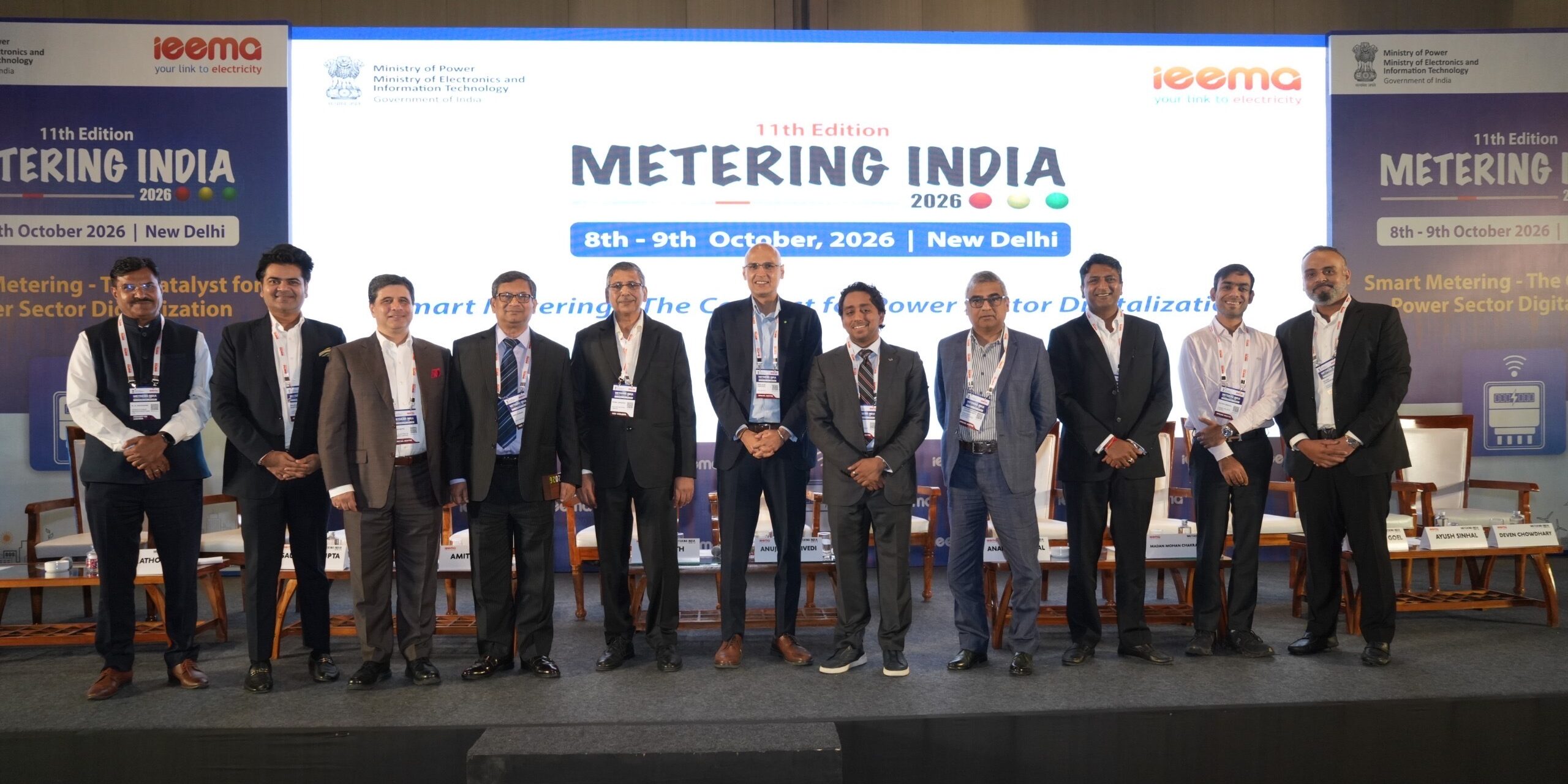
Kimbal Participates in Metering India 2026, Highlighting the Need to Strengthen India’s Smart Metering Ecosystem
Published on 13 October 2026




Smart meters let you track your electricity use in real time and recharge as needed, much like a prepaid mobile plan. If you’re unsure how to recharge your smart meter, this guide breaks it down into simple steps so you can recharge your prepaid smart meter online and offline, easily and avoid any disruption in power supply.
A smart meter is a digital electricity meter that records your energy usage in real time and communicates directly with your electricity provider. Unlike traditional meters, it removes the need for manual readings and gives you better visibility into how much electricity you are using and how much balance you have left.
Many electricity smart meters in India now work on a prepaid system, similar to a mobile recharge. You top up your balance, and electricity is consumed against that balance. When the balance runs low, you get alerts so you can recharge in time.
To learn more about Smart Meters in India, click here.
Prepaid smart meter recharge can be done online through DISCOM websites, mobile apps, UPI apps, or offline through electricity offices and recharge centers. Most online recharges are updated instantly. There is how you can recharge your electricity smart meter:
1. Online Recharge
This is the most convenient and widely used option. You can recharge through:
2. Offline Recharge
This works for people who prefer in-person transactions or may not be comfortable with digital payments. You can recharge through:
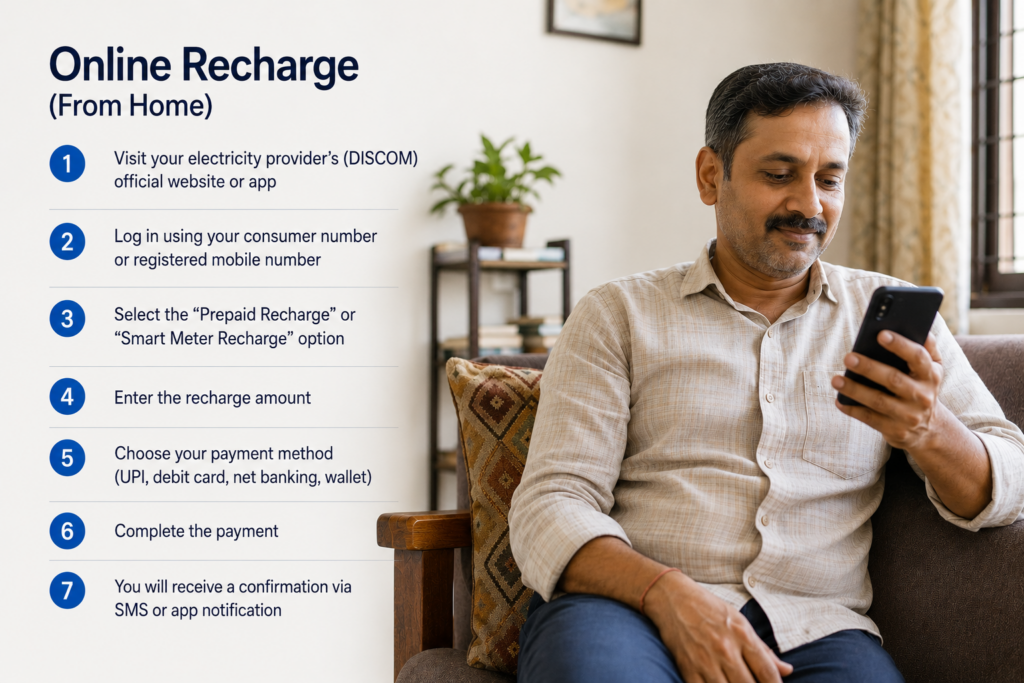
Here’s a simple way to recharge your smart meter online:
1. Visit your electricity provider’s (DISCOM) official website or app
2. Log in using your consumer number or registered mobile number
3. Select the “Prepaid Recharge” or “Smart Meter Recharge” option
4. Enter the recharge amount
5. Choose your payment method (UPI, debit card, net banking, wallet)
6. Complete the payment
7. You will receive a confirmation via SMS or app notification
Your balance is usually updated instantly or within a few minutes.
Tip: Save your consumer number and use the same platform regularly to make future recharges faster.
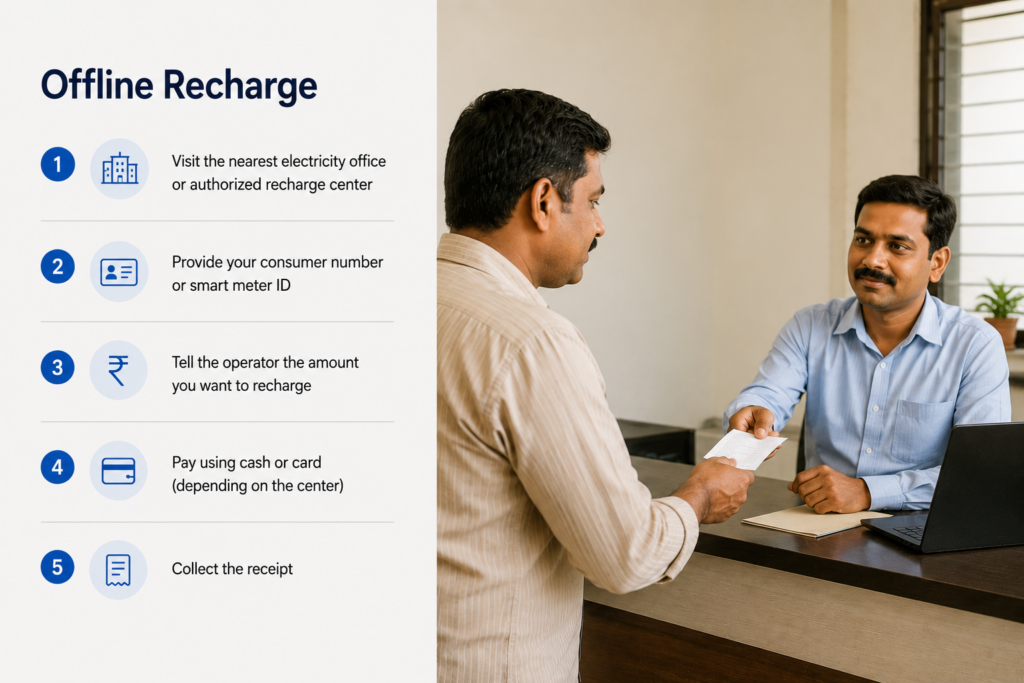
If you prefer offline methods, here’s how to do it:
1. Visit the nearest electricity office or authorized recharge center
2. Provide your consumer number or smart meter ID
3. Tell the operator the amount you want to recharge
4. Pay using cash or card (depending on the center)
5. Collect the receipt
The recharge is typically updated quickly, but in some cases, it may take a little time.
You can check your balance in multiple ways:
Learn more: How to Read Your Smart Meter Display: 2026 Guide for electricity consumers in India
Recharge done but balance not updated
Wait for a few minutes and refresh the app or check again. If the issue continues, contact your electricity provider with the transaction details.
Incorrect consumer number entered
Always double-check before making a payment. If a mistake happens, contact customer support immediately.
Payment deducted but recharge failed
Most systems auto-refund within a few working days. Keep your transaction ID handy. If you don’t hear back in 7-10 business days, contact your electricity provider with the transaction details.
You can reach out to your state electricity provider at 1912 (for all states) for recharge support, complaints, or queries.
| State & Electricity Board | Helpline Number | Customer Care Email |
| Himachal Pradesh (HPSEBL) | 1800-180-8060 | info@hpseb.in |
| Punjab (PSPCL) | 1800-180-1512 | 1912@pspcl.in |
| Haryana (DHBVN) | 1800-180-4334 | 1912@dhbvn.org.in |
| Maharashtra (MSEDCL) | 1800-233-3435 | customercare@mahadiscom.in |
| Uttar Pradesh (UPPCL) | 1800-180-8752 | md@uppcl.org |
| Bihar (SBPDCL) | 0612-2504044/45 | gmhrsbpdclvill@gmail.com |
| Madhya Pradesh (MPMKVVCL) | 0755-2602033 | contact.mpcz@gmail.com |
| Assam (APDCL) | 0361–3126201 | support@apdcl.org |
| West Bengal (WBSEDCL) | 19121 (24×7) | crmcell@wbsedcl.in |
| Andhra Pradesh (APSPDCL) | 1800-4251-55333 | customercare@apspdcl.in |
| Chhattisgarh (CSPDCL) | 1800-233-1920 | customercare1912@cspc.co.in |
| Andhra Pradesh (APSPDCL / APEPDCL) | 1800-4251-55333 | customercare@apspdcl.in |
| Delhi (Tata Power-DDL and BSES) | 1800-208-9124 1800-208-9123 | customercare@tatapower-ddl.com brpl.customercare@reliancegroupindia.com |
| Gujarat GUVNL (DGVCL/MGVCL) | 1800-233-155333 | cpc.mgvcl@gebmail.com |
| Jharkhand (JBVNL) | 1800-345-6570 | contactus@jbvnl.co.in |
| Karnataka (BESCOM) | 09449-844640 | helpline@bescom.co.in |
| Kerala (KSEBL) | 0471-2555544 | ccc@kseb.in |
| Odisha (TPODL / TPWODL) | 1800-345-6798 | consumercare@tpwesternodisha.com |
| Rajasthan (JVVNL) | 1800-180-6507 | helpdesk@jvvnl.org |
| Tamil Nadu (TNEB) | 09498-7 94987 | cpro@tnebnet.org |
| Telangana | 040-23431464 | customerservice@tgsouthernpower.org |
| Uttarakhand (UPCL) | 0135-2763672 | customercare@upcl.org |
Smart meters make electricity usage more transparent and manageable. Once you get used to the recharge process, it becomes as simple as topping up your phone balance. Whether you choose online or offline methods, the key is to stay aware of your balance and recharge on time to avoid interruptions.
1. What happens if my smart meter balance runs out?
Your electricity supply may be disconnected once the balance reaches zero. Some utilities provide a small emergency credit.
2. Is there a minimum or maximum recharge amount?
Yes, this depends on your electricity provider. Most platforms will show limits during the recharge process.
3. Can I schedule automatic recharges?
Some apps and platforms offer auto-recharge or reminders when your balance is low.
4. How long does it take for the recharge to reflect?
Online recharges are usually instant. Offline recharges may take a few minutes to a few hours.
5. Can I recharge my smart meter using UPI?
Yes, UPI is one of the commonly accepted payment methods for smart meter recharge.
6. Will I get a receipt for my recharge?
Yes, you will receive a digital receipt for online payments and a printed receipt for offline payments.
7. Who should I contact if there is an issue?
You should contact your local DISCOM or electricity provider for customer support. For all states, 1912 is the primary national helpline for electricity-related complaints.
8. What are the benefits of smart meters?
Smart meters provide real-time electricity tracking, accurate billing, remote monitoring, and easy online recharge options. They also help consumers manage energy usage and reduce wastage.
To learn more about Smart Meters in India, click here.
9. Which apps can be used for smart meter recharge in India?
Smart meter recharge can be done through utility apps, BBPS platforms, Google Pay, PhonePe, Paytm, Amazon Pay or any other UPI app.
10. How do smart meters work in India?
Smart meters digitally record electricity consumption of users and automatically share data with the utility provider, enabling accurate billing and remote monitoring.
Learn more: Smart Metering Companies in India: A Complete Guide for Electricity Consumers
11. What is the difference between prepaid and postpaid smart meters?
Prepaid smart meters require users to recharge before using electricity, while postpaid smart meters generate a bill after monthly usage.
Published on 13 October 2026
Published on 7 October 2026

Published on 6 October 2026
Your email address will not be published. Required fields are marked *